Extended
Services:
The IEG Assessment tool set has additional capabilities group together
as “Extended Services”. These features are chargeable when used. They are:
ü
Detailed
Documentation showing line by line various changes that are recommended based on
the information found by the assessment process. A sample of this documentation can be viewed by selecting the
“Sample Document” from the left hand menu.
ü
New
Renovated Model can be produced having merged the lines of changed code with
the original model. This new renovated
model is then loaded into EAD/LDA or to the target host environment.
ü
Also
the generation of Unload/Load reports
for use other than an assessment is chargeable.
These options cannot be executed unless IEG has been contacted and
there is an agreement in place for these features to be “unlocked” and made
available. Once the agreement is in
place IEG will provide an “authorization” code in order for the process to
continue.
To perform an extended service the assessment process would first be
completed. At the end of the assessment
process is when you would select the Extended Service button at the top of the
main menu.
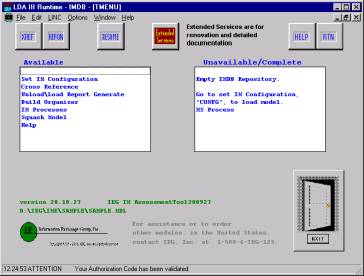
This takes you to the IEG
authorization form.
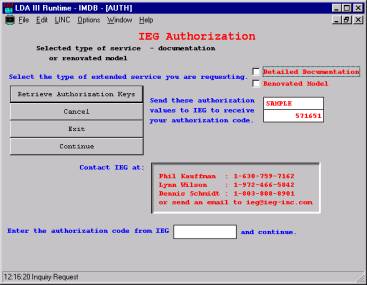
The authorization code is based on a unique key derived from each
model. Check the respective check box to
reflect the type of extended service you wish to perform. (Detailed
Documentation or Renovated Model). Next
press the “Retrieve Authorization Keys”.
The form will be displayed with the name of the model name and numeric
value (SAMPLE, 571651). These values
would be sent to IEG via an email or you can contact IEG directly to get the
authorization code.
You would close this session until you have received the authorization
code. IEG will return the authorization
code promptly. Open the run time session
and navigate back to the Extended Services Authorization form. Enter the
“authorization” code provided by IEG in the field at the bottom and
press “Continue”. A confirmation pop up
window will be displayed to confirm the type of process you have been
authorized to perform.
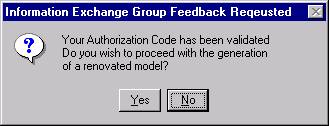
Selecting
“No” will discontinue the process.
Selecting “Yes” will proceed automatically with a series of background
reports to compete the respective extended service. At the end of the process, another popup window will be displayed
indicating the end of the process. The
window(s) will contain information regarding where the documentation or the new
model can be located.
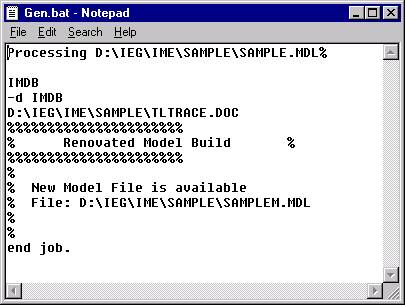
ã
Copyrighted 1995-2008 Information Exchange Group, Inc.